Customizing your StreamElements Widgets from NerdOrDie.com is quick and easy with our custom coded options. Here's how you do the customization!
If you don't have Nerd Or Die widgets, checkout the shop!
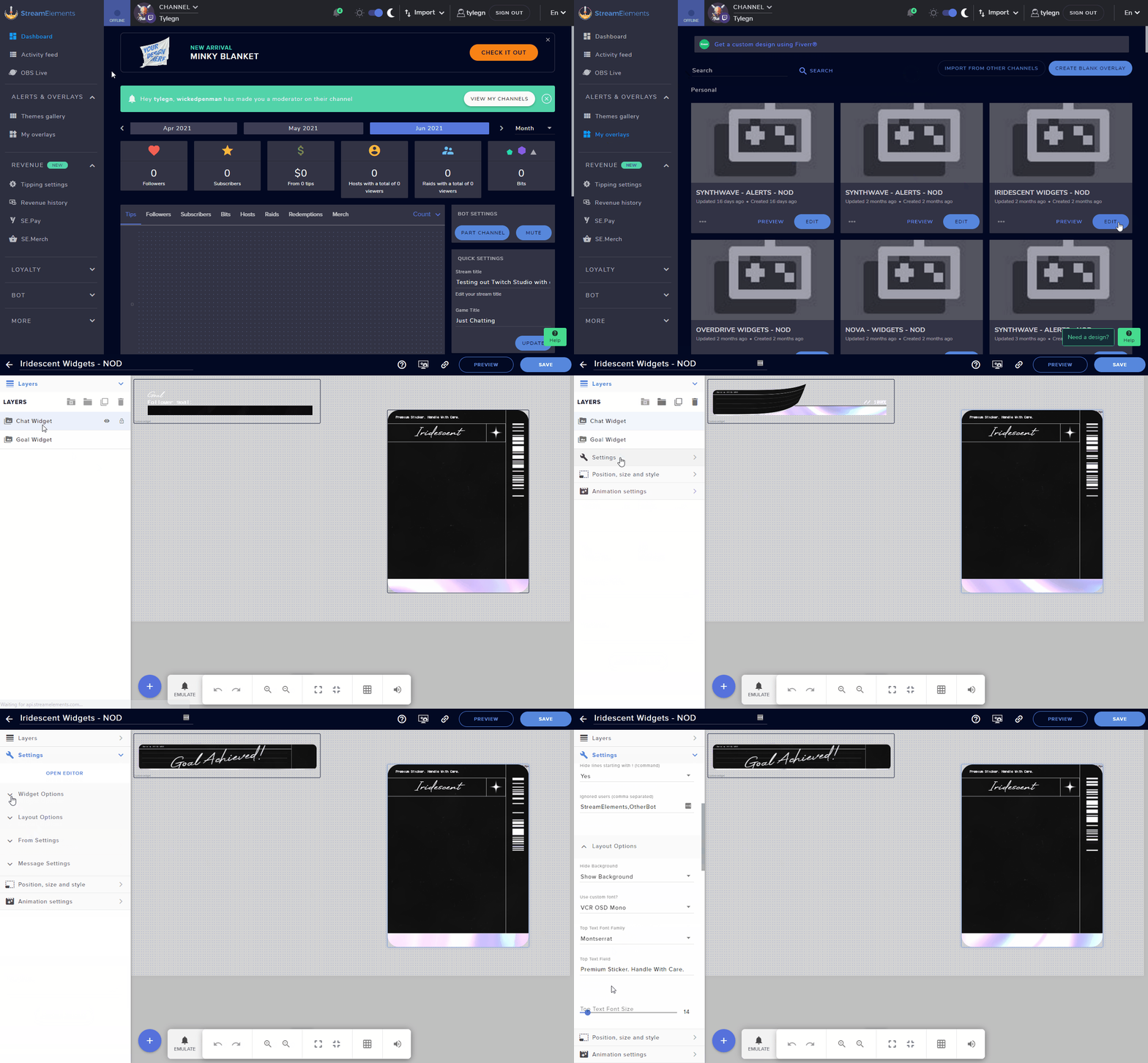
- Head over to StreamElements.com
- Click on "Streaming Tools" then "My Overlays" on the left side.
- Click "Edit" on the widgets overlay you want to customize.
- Select the Widget from the "Layers" on the left.
- Click on "Settings".
- Scroll down and you'll see the options available.
- Make your changes and click "Save" at the top right.
Updated
Comments
0 comments
Article is closed for comments.